PDF reports & fitness data exports from Notify
Your history should be useful beyond the app screen. Notify gives you readable reports for a quick review and data files for the analysis you want to do yourself.
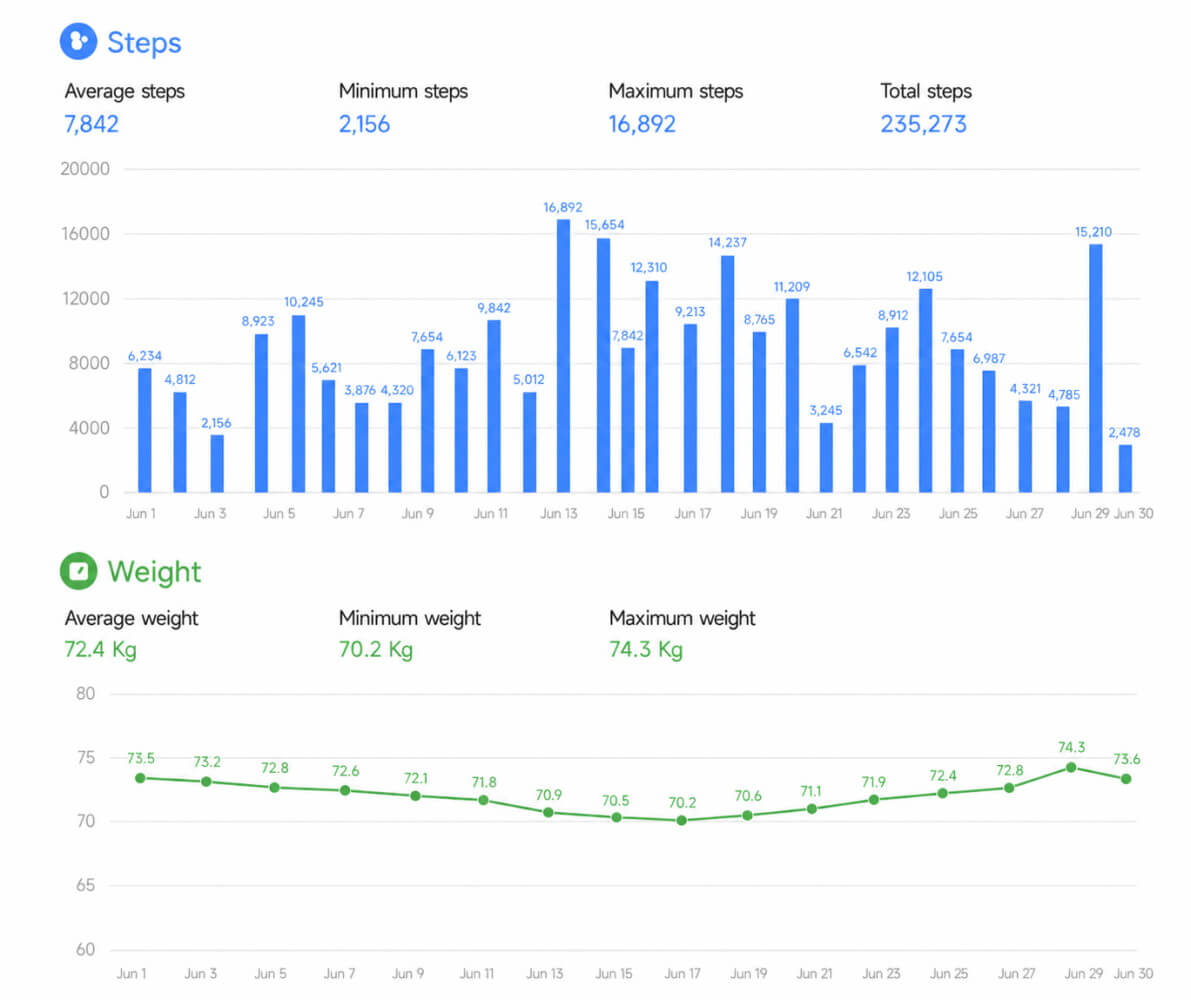
Notify can export supported fitness records to spreadsheets and create PDF reports for activity, sleep, heart rate, SpO2 and workouts. Workout formats include TCX, GPX and FIT where the relevant data are available.
Choose a report for the question you are asking
| Report | What it helps you review |
|---|---|
| Activity | Steps, estimated calories and recorded weight over a period |
| Sleep | Duration, awake time, supported stages and overnight records |
| Heart rate | Recorded minimum, maximum, average and resting trends |
| SpO2 | Recorded oxygen values and available heart-rate context |
| Single workout | One session's recorded performance and route details |
| Workout period | Training frequency, volume and changes across a selected period |
Take the numbers into your own analysis
Export supported data for a selected date range to a spreadsheet file. Sleep exports can include summaries, detailed intervals or raw recorded values, depending on the chosen option. This is useful when you want to compare periods or keep a separate record of the data behind a chart.
Use the right workout file for the destination
Notify's workout screen offers TCX, GPX and FIT export options. Check the receiving app's format support and which fields were actually recorded. A route-based file cannot contain a complete path when the original workout has no GPS points.
Keep reports and backups for different jobs
A PDF is for reading; an exported data file is for reuse. Use Notify's backup and restore tools when you need to preserve the app's own data and settings. Exporting a report alone does not replace an app backup.
Common questions
Can I export sleep data from Notify?
Yes. Notify has sleep export options and a sleep PDF report. The available detail depends on the intervals and raw records that were synced and retained.
Can I share a readable fitness report?
Create a supported PDF report for the data type and date range you want, review it and then share the generated file.
Will a PDF backup restore Notify on a new phone?
No. PDF reports and spreadsheet exports are different from Notify's app backup. Use the dedicated backup and restore tools for migration.