Steps, calories & weight: see your progress with Notify
The walk to the station counts too. Notify helps turn everyday movement into a record you can understand, with personal goals, activity history and a dashboard built around the numbers you care about.
Notify organises synced step counts, estimated distance and calories, available active minutes and weight records into daily and longer-term views. Goals and dashboard settings help you make those records relevant to your routine.
Inside the app
See the feature with real Notify screens
These screens come from the Android app running with illustrative demo records. Tap an image to inspect the details at full size.
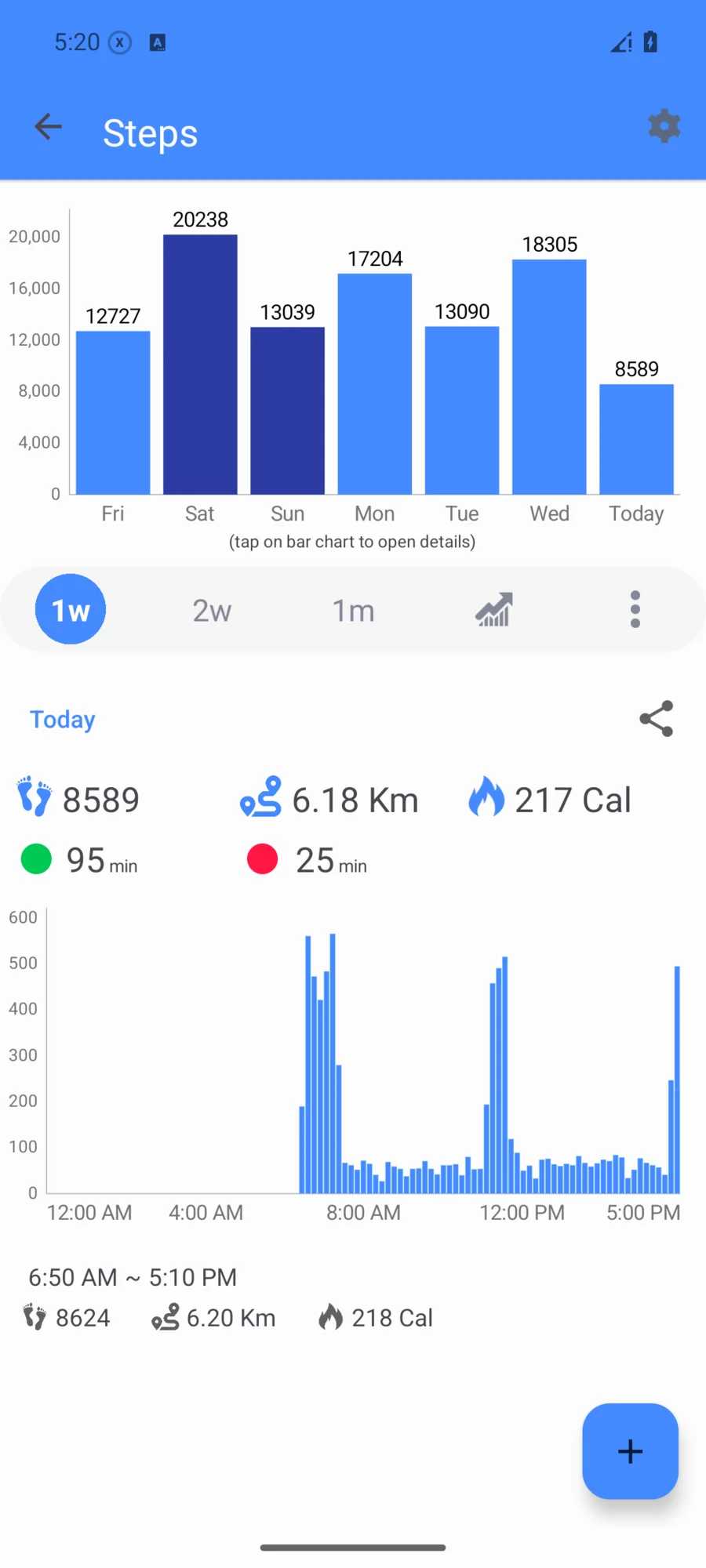
Find the movement hidden in your day
Open step details to inspect the day's activity, then zoom out to totals and averages over longer periods. Available active and intensive minutes add another way to review movement beyond a single step count.
Put your own target on the dashboard
Set a daily steps goal and supported goals for calories, activity or sleep. Progressive step alerts can mark intermediate milestones on compatible watches. Keep your height, weight and other profile values up to date so estimates use the information you intend.
- Fine-tune estimated distance
- A custom step length lets you adjust distance calculations to your stride.
- Choose your units
- Use the distance and weight units that make your records easiest to read.
- Make the home screen yours
- Reorder the health sections and weekly summaries you want to see first.
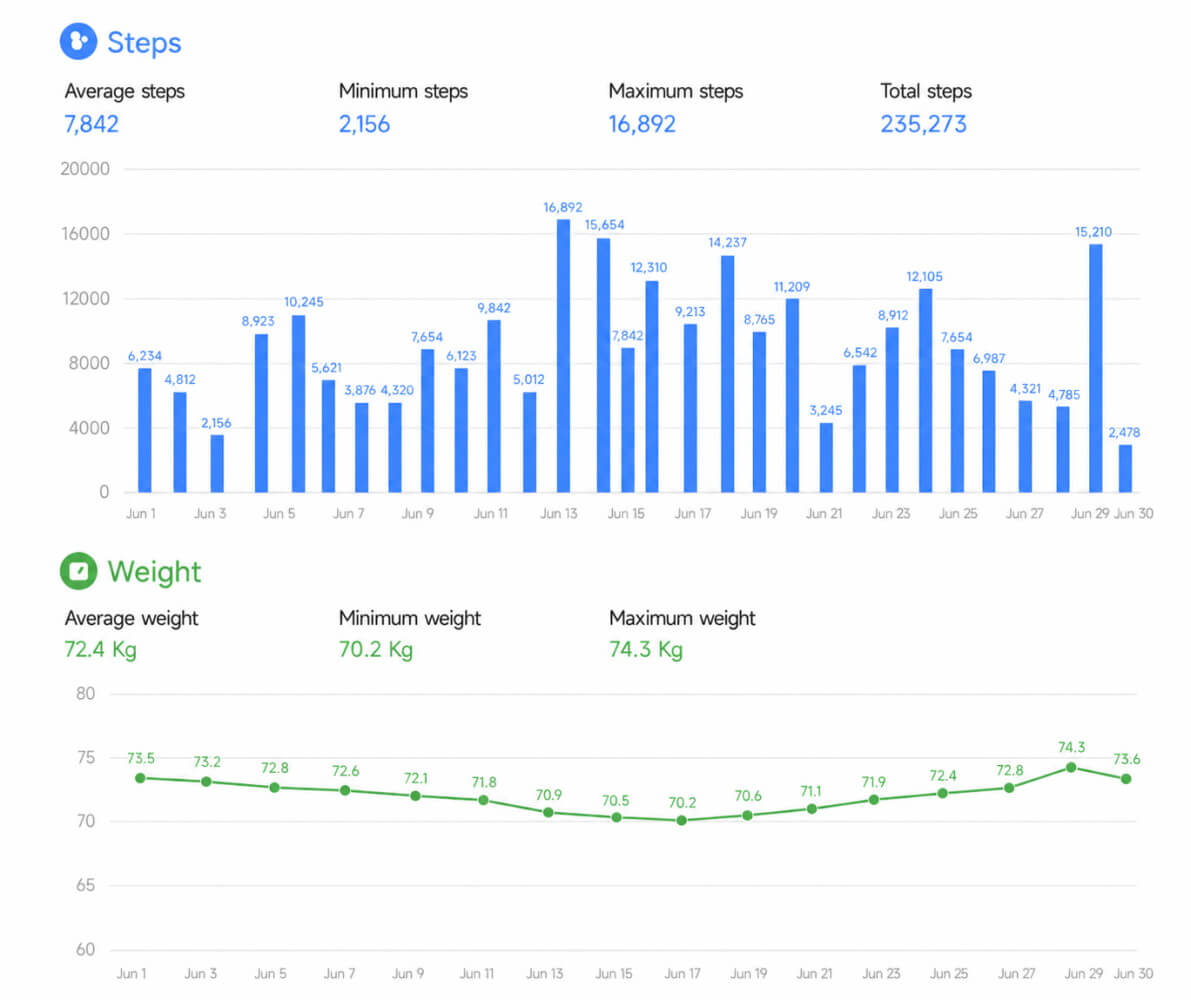
Keep weight in the same picture
Log weight manually or use a compatible scale connection, then review weight history and available body metrics. Weight filters and chart grouping can make repeated measurements easier to read. BMI and body-composition calculations are estimates based on the selected method and available inputs.
Keep a record you can revisit
Use daily, weekly, monthly and yearly statistics to see how your activity changes. Export a spreadsheet for your own analysis or create an activity PDF report when you want a readable snapshot to keep or share.
Give a good routine a little recognition
Some progress deserves a marker. Notify's achievements recognise recorded activity and sleep milestones, including step-goal streaks and recurring weekly or monthly challenges. See the badges you have collected and the challenges currently active from the achievements screen.
- Keep in mind
- Turn on local phone notifications if you would like a nudge when a new badge unlocks. Achievements use the records available in Notify, so sync your wearable before checking progress. They are motivational markers, not a medical assessment or a competition leaderboard.
Common questions
Can I track steps and weight in the same app?
Yes. Notify has step and weight histories, with manual weight entry and supported scale connections. The activity PDF report can bring their trends together.
Can I customise my daily step goal?
Notify provides a personal steps goal and progressive goal notifications. The values and alerts accepted by the watch depend on its firmware.
Does Notify measure calories directly?
No. Calorie values are estimates from the device or the selected calculation method and profile information. Treat them as tracking data rather than exact measurements.
Does Notify have activity achievements?
Notify's achievements screen collects badges based on available activity and sleep records, including recurring challenges. It can show a local phone notification when a badge unlocks.